
Antivirus & online security
TotalAV Antivirus Review
Bring antivirus and VPN protection into one subscription. Choose TotalAV Internet Security for a balanced bundle, or compare the other tiers before paying for extras.
We may earn a commission through our links, at no extra cost to you. How we compare.

Our take
Why choose TotalAV Internet Security?
TotalAV Internet Security is a good fit when you want antivirus and VPN access in one purchase, with room for several personal devices. The reviewed plan covers six devices and combines threat protection with privacy and cleanup tools.
Bundle the essentials
Bring malware protection and connection privacy under one subscription.
Cover a device mix
Use the available apps across your supported computers and mobile devices.
Pick a useful tier
Spend on the features and licence allowance you need, rather than the biggest bundle by default.
Our recommendation is to start with Internet Security if the VPN is part of your everyday routine. If you already pay for a VPN and password manager, compare the lower tier before buying overlapping tools. The value comes from replacing services you would otherwise buy separately.
Plan comparison
Plus, Internet Security or Total Security?
| Edition | Reviewed device allowance | Main reason to choose it |
|---|---|---|
| Plus | 4 devices | Core antivirus and everyday security tools |
| Internet Security | 6 devices | Adds VPN access to the protection bundle |
| Total Security | 8 devices | Higher allowance and password-management tools |
The current comparison reserves Total Password for Total Security. Internet Security is the middle option for buyers who want a VPN without necessarily moving to the largest bundle. Use the edition named at checkout as your reference; an offer labelled simply “TotalAV” does not identify every entitlement.
Count the computers and phones you want to cover, including an older laptop you still use. That makes the difference between four, six and eight licences a practical decision instead of a marketing headline.
Choose your TotalAV protection
Check the current offer, select the right edition and activate the features you want to use.
See current plansConfirm the device allowance, billing term and renewal price at checkout.
Everyday protection
What the bundle adds to daily browsing
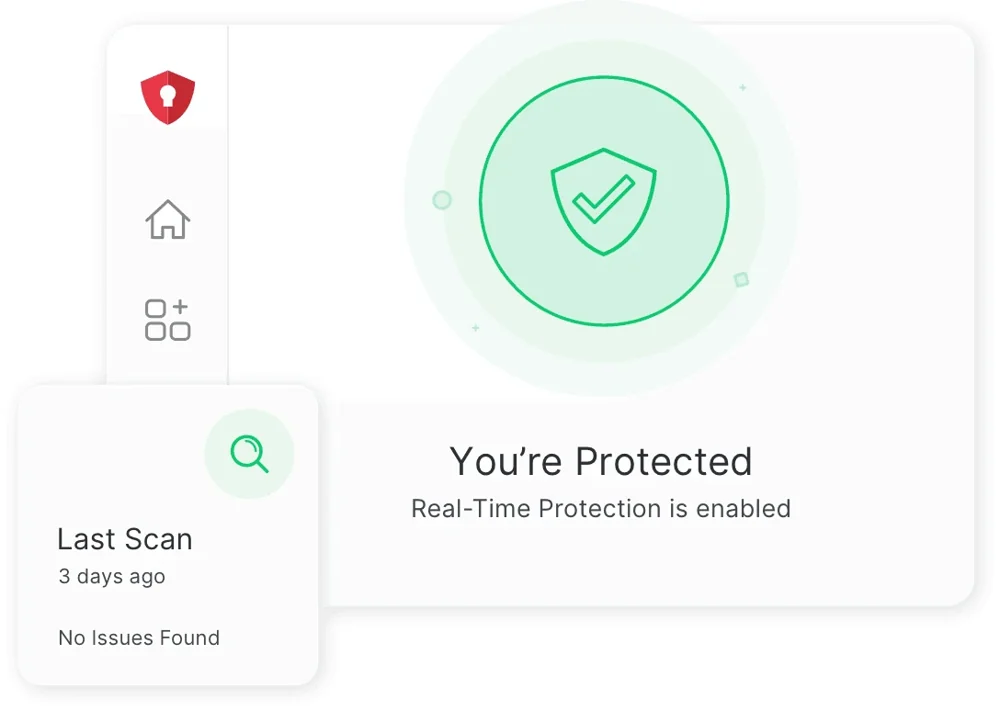
Real-time scanning is designed to check activity such as downloads and executable files. Scheduled or manual scans give you another way to review the device. Web protection is intended to flag risky destinations before you enter account or payment information.
The VPN encrypts the connection; it has a different job from a malware scan. It can be a useful companion when you work away from home or use shared networks. You still need to pay attention to the site you are logging into and the files you open.
Cleanup and browser tools are convenient additions if you prefer fewer maintenance utilities. Review the files or settings a cleanup operation proposes to change rather than treating every recommendation as something you must remove.
Getting started
Match the apps to your devices
TotalAV lists apps for Windows, macOS, Android and iOS, with different feature availability. Check your current operating-system version before choosing the licence allowance. A plan that covers your device count is useful only if the features you want run on those devices.
After purchase, use your account to download the appropriate app, sign in and activate the subscription. Complete the initial setup, confirm that real-time protection is enabled where supported, and set up VPN access on the devices where you want it. The support centre separates installation, configuration and VPN guidance.
An iPhone security app is not a Windows file scanner. For a household with mostly iPhones, compare the mobile privacy and web features rather than assuming every desktop scanning function is available.
Before checkout
Compare the offer and the renewal together
Promotions can change the initial cost. Compare the exact TotalAV edition, the full amount charged for the first billing term and the regular renewal rate. A monthly equivalent is not always a monthly payment. The current product page says subscriptions auto-renew until cancelled and introductory pricing can differ from the regular rate.
Check which add-ons are included and whether another product creates a separate subscription. Save the order confirmation and use the account portal to review active services. Decide about renewal settings while the purchase details are fresh.
If you need a refund or cancellation, follow the published process for the subscription and billing term you bought. Turning off renewal and requesting a refund are separate actions; keep any confirmation you receive.
Research notes
How to assess its protection claims
Independent Windows test context
AV-TEST’s July–August 2026 Windows round lists TotalAV 6.6 / 6.7 at 6 / 5.5 / 6 for protection, performance and usability, each out of six. Results apply to that tested configuration.
We have not run our own malware or performance benchmark. Our buying recommendation weighs the published bundle and licence structure. For a new offer, check that the named product is the one you intend to install and review how it behaves on your own hardware.
The strongest reason to choose TotalAV here is the combination of antivirus and VPN in the middle tier. If that combination simplifies your setup, compare the current Internet Security offer and activate the tools you want.
Before you buy
Questions about TotalAV Internet Security
Does Internet Security include Total VPN?
The reviewed Internet Security tier includes VPN access. Confirm the edition in your offer and activate the VPN after purchase; installing the antivirus does not mean you have already configured every privacy feature.
Do I need Total Security for password management?
The current plan comparison reserves Total Password for Total Security. Internet Security is the middle antivirus-and-VPN option, so check the top tier if password management is part of your buying decision.
How many devices does TotalAV cover?
The reviewed comparison shows four devices for Plus, six for Internet Security and eight for Total Security. Match the allowance to the exact offer you select.
Will the same tools work on my iPhone and Windows PC?
The provider offers apps for both, but the operating systems allow different features. Compare the iOS web and privacy tools separately from desktop antivirus scanning.
What should I record before paying?
Save the edition name, device count, first-term charge, renewal rate and any selected add-ons. Check your account for separate subscriptions and the renewal settings after activation.
Make an informed choice
Choose the TotalAV tier you will actually use.
Internet Security is the practical starting point if you want device protection and a VPN together. Step up to Total Security when its password tools and larger allowance are useful, or choose the lower tier for a simpler protection setup. Open the current offer and match the edition to your devices.
How this page was researched
About this review
This research-based buying guide compares published product, plan and support information. We have not tested the software hands-on. Buying recommendations are editorial judgments about features, device fit and subscription scope. Any named lab result is separate from our site scores.
Checked November 1, 2026 for U.S. shoppers. Plan examples and prices are dated snapshots. Confirm the edition and platform-specific features in your selected offer. Product images are credited to TotalAV.
No security product guarantees protection against every threat. Keep devices updated and use account-security practices alongside the tools you buy. Report corrections to compareanyth.ing@dooeeads.com.