#1

Pipedrive
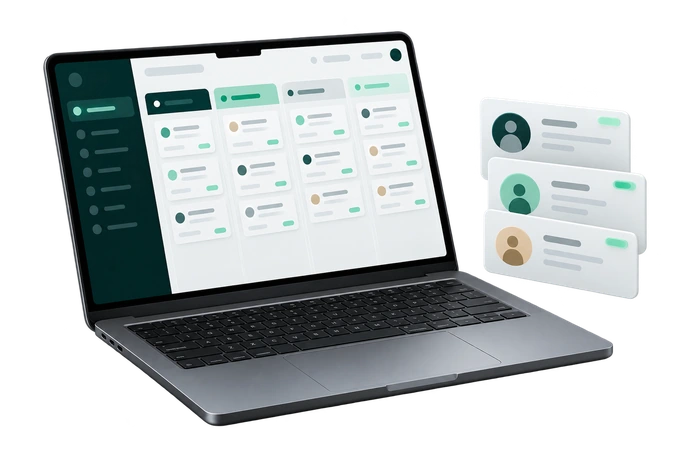
- Visual sales pipelines for tracking deals and activities
- Contact and organization records connected to opportunities
- Sales automation and reporting features
- App integrations for connected sales workflows
Updated on 24 November 2026
Compare sales CRM platforms for managing contacts, deals and follow-ups. Evaluate pipeline customization, reporting and integrations against the way your sales team actually works.
Some links may be affiliate links (commission at no extra cost to you). How we compare.




Compare the details
Compare the CRM product and edition, not just the vendor. Seats, workflow automation, permissions, integration access and implementation can change the practical cost.
Reviewed 31 October 2026. Availability and terms can vary by product, offer, purchase channel and location.
Scroll horizontally for every column. Brand names open the active provider offer. Order follows the current displayed scores.
| Brand / current score | Sales workflow | Plan structure | Important restriction | What to test |
|---|---|---|---|---|
| Pipedrive #1 · 9.6/10
|
Pipeline and deal management for a sales team. | The reviewed plan matrix uses Lite, Growth, Premium and Ultimate, with included and separate add-ons. | Older plan names and limits may differ from newly sold tiers. | Demonstrate your email workflow, reporting and automation; list every required add-on before comparing seat costs. |
| HubSpot #2 · 9.5/10
|
Smart CRM connects customer records across the HubSpot product range. | Free tools, Smart CRM editions and paid Hubs are different purchasing scopes. | A Hub subscription does not make every marketing, service or sales capability available without further licensing. | Specify which Hubs, seat types, automation and onboarding your team needs, then compare the combined quote. |
| Zoho CRM #3 · 9.4/10
|
Sales records, leads, deals and edition-based sales automation. | Free and multiple paid CRM editions; the feature matrix separates storage, forecasting and advanced functions. | The published free CRM is limited to three users; paid editions have different quotas and capabilities. | Check your record volume, workflow limits, field permissions and integration needs against the exact edition. |
| Salesforce #4 · 9.3/10
|
Salesforce offers several products and editions; define the sales CRM scope first. | Contract and payment terms vary; most subscriptions use annual arrangements, with different options for Starter. | Subscription cost alone does not establish implementation effort or availability of every Salesforce product. | Budget configuration and support, and ask which API, automation, sandbox and reporting features your quote includes. |
| Freshsales #5 · 9.2/10
|
Sales CRM with contact, deal and communication workflows. | The reviewed Growth, Pro and Enterprise tiers add capabilities progressively; branded documents and AI agents appear as add-ons. | Territory management and sequences are not the same feature scope as basic workflows; field permissions and sandbox appear higher in the matrix. | Test your scoring, sales sequences, phone/email setup and permissions; include add-on and AI-session charges. |
No matching brands. Try another feature or clear the search.
This is a dated document-based review, not hands-on performance testing. Listed questions are purchase checks, not claims that an unverified feature is unavailable. Site scores and campaign placement are not recalculated by this table.
Compare B2B sales intelligence platforms for finding companies, researching contacts and enriching sales records. Evaluate coverage in your target markets, credit usage and CRM workflow fit.
Compare software for creating business proposals, collecting approvals and sending documents for signature. Check templates, pricing content, CRM connections and signature workflows for your sales process.

Explore more categories and find your next comparison guide.
Run a small version of your real sales process: import contacts, qualify a lead, create a deal, log communication and produce a pipeline report. Include sales representatives and an administrator so usability and setup effort are both assessed.
Platforms can charge differently for sellers, administrators, viewers and other roles. Compare the permissions each role receives and include required add-ons, onboarding and annual commitments in your cost model.
Check the number of pipelines, stage rules, custom fields and required data controls. Demonstrate a deal that follows your actual process, including exceptions and handoffs, before assuming the standard pipeline is sufficient.
Review supported account types, sync direction, shared visibility, attachment handling and permissions. Test what happens when a person leaves the company and whether customer communications remain attached to the correct records.
Imports may handle contact fields but require separate steps for notes, activities, attachments and relationships. Define matching keys and duplicate rules, then pilot the migration and compare records before a full import.
Check workflow quotas, available triggers, scheduled actions and integration dependencies. Test error reporting and ownership permissions, especially for workflows that update many records or send customer communications.
It depends on data quality, stage definitions and the forecasting model. Review how amounts, currencies, close dates and probabilities enter reports, and compare the dashboard with the way your team manages forecasts.
Check contacts, companies, deals, activities, notes, attachments and custom fields. Test whether relationships and ownership identifiers survive export, and review API access before relying on a future migration.
Compare sales CRM platforms for managing contacts, deals and follow-ups. Evaluate pipeline customization, reporting and integrations against the way your sales team actually works. Features, usage limits and availability vary by plan. Confirm the current product and subscription terms with the provider.
Displayed scores are site-assigned comparison scores, not verified customer ratings or results of hands-on testing. Compensation and campaign settings may influence placement and displayed scores.