#1

PandaDoc
- Create proposals and sales documents with an online editor
- Reusable templates and interactive pricing tables
- Electronic signatures and approval workflow tools
- Document tracking and CRM integration options
Updated on 24 November 2026
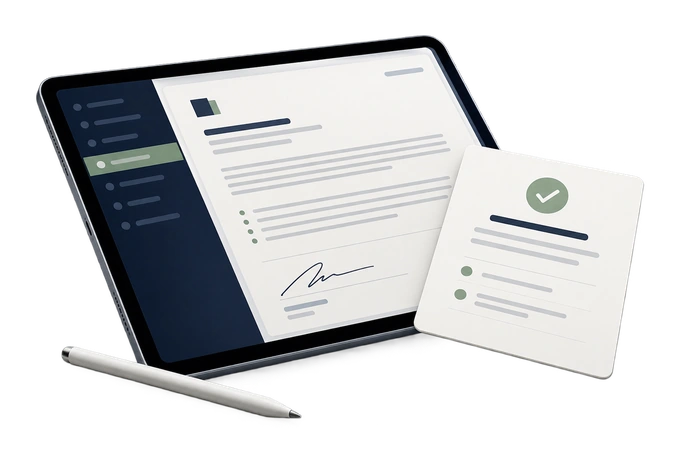
Compare software for creating business proposals, collecting approvals and sending documents for signature. Check templates, pricing content, CRM connections and signature workflows for your sales process.
Some links may be affiliate links (commission at no extra cost to you). How we compare.




Compare the details
Compare the document workflow, not only whether a signature button exists. Sending allowances, team governance, integrations and identity-verification methods can change the plan you need.
Reviewed 31 October 2026. Availability and terms can vary by product, offer, purchase channel and location.
Scroll horizontally for every column. Brand names open the active provider offer. Order follows the current displayed scores.
| Brand / current score | Document workflow | Plan and usage model | Important restriction | Before sending |
|---|---|---|---|---|
| PandaDoc #1 · 9.6/10
|
Proposals and signature workflows across Free eSign, Starter, Business and Enterprise. | The reviewed matrix separates sending allowances and recipient/feature restrictions; some functions have add-on or volume charges. | Free eSign has a limited document allowance; paid sending access does not imply all integrations, approvals or verification methods. | Map templates, approvals, recipients, CRM connection and verification needs to the exact tier and add-ons. |
| Proposify #2 · 9.5/10
|
Proposal content, electronic signatures and document insights. | Build and Grow differ in team governance and seat packaging; additional services can add costs. | Unlimited documents/signatures does not mean every account-control function or custom design service is included. | Check included seats, permissions, content controls and the commercial terms for template-design or implementation work. |
| Qwilr #3 · 9.4/10
|
Interactive proposal pages with e-signing, analytics and payment workflows. | Starter, Growth and Scale distinguish minimum seats, integrations and annual commitments; API use can add charges. | Growth and Scale have minimum user counts on the reviewed page; Salesforce integration belongs to a different tier from the entry integrations. | Calculate minimum-seat commitment and confirm CRM, permissions, automation and API usage rather than comparing a single seat price. |
| Better Proposals #4 · 9.3/10
|
Proposal creation with signing, payments and tracking features. | Starter, Premium and Enterprise distinguish document allowances and collaboration/governance tools. | A lower-tier sending allowance differs from unlimited documents; Nudge is an optional extra. | Verify your document volume, CRM/custom-domain needs, manager approvals and optional follow-up tooling. |
| GetAccept #5 · 9.2/10
|
Digital Sales Rooms and document/eSignature workflows. | The trial includes a defined feature set; paid plans cover additional signature and identity options. | Basic click-to-sign is not the same as eID, BankID or qualified electronic signature support. | Ask which signing/verification method your transaction needs and confirm CRM, user and document scope with the provider. |
No matching brands. Try another feature or clear the search.
This is a dated document-based review, not hands-on performance testing. Listed questions are purchase checks, not claims that an unverified feature is unavailable. Site scores and campaign placement are not recalculated by this table.
Compare sales CRM platforms for managing contacts, deals and follow-ups. Evaluate pipeline customization, reporting and integrations against the way your sales team actually works.
Compare project and work management tools for coordinating tasks, timelines and team workloads. Check workflow fit, automation limits and the cost of the seats your team needs.
Explore more categories and find your next comparison guide.
Proposal software may add content editing, pricing tables, branding and engagement tracking before signature. A signing tool can focus mainly on signing an existing document. Test the complete workflow from proposal creation to final signed copy.
Not necessarily. Check access to reusable sections, brand controls, template locking and team content permissions. These features matter when several sellers must use approved language consistently.
Use a realistic quote with currencies, discounts, optional items and quantities. Check who can change each value, how totals update and whether the signed or exported copy records the final accepted choices.
No. Notifications depend on how the document is opened and tracked. Treat engagement information as a workflow signal, and review how forwarding, shared links and automated scanners affect the analytics.
A connector can populate proposal fields from deal or contact records, but supported fields and update directions vary. Test custom fields, line items and what is written back when a proposal is accepted or signed.
Review signer order, authentication options, reminders, audit records and access to the completed document. Requirements differ by transaction and jurisdiction, so have the responsible team confirm the exact workflow and signature type needed.
Check whether charges depend on seats, sent documents, recipients, templates or a particular signature method. Include failed sends, resends and external signers when modeling normal monthly usage.
Check bulk download, export formats, audit-record availability and data retention terms. Export a sample completed document with its relevant evidence before depending on a future cancellation process.
Compare software for creating business proposals, collecting approvals and sending documents for signature. Check templates, pricing content, CRM connections and signature workflows for your sales process. Features, usage limits and availability vary by plan. Confirm the current product and subscription terms with the provider.
Displayed scores are site-assigned comparison scores, not verified customer ratings or results of hands-on testing. Compensation and campaign settings may influence placement and displayed scores.